


LinkedIn has become the premiere channel for B2B marketing online. It’s the perfect vehicle to promote your products and services, recruit new talent, and share useful information with customers and prospects.
So, make sure your own Company Page does just that!
A LinkedIn Company Page can be one of your best online assets for building your business if you approach it properly. All too often, businesses will create a page on LinkedIn, usually because someone in marketing told them they had to, and there it will sit complete with bare bios, infrequent updates, and unused career sections.
The key to LinkedIn – or, in fact, any online efforts – is to create a place where people (your customers, employees, and prospects) will go to gather information, exchange ideas, and engage with your business.

With a little work, your LinkedIn Company Page can function to build trust and your brand identity, inform prospects about your business and industry, showcase your best talent, recruit new employees, generate leads, and close sales.
Let’s explore 10 of the must-have features and some best practices you should include on your LinkedIn Company Page in order to maximize its effectiveness and take advantage of all that LinkedIn has to offer!
What Is a LinkedIn Company Page?
A LinkedIn Company Page is a page that can be created for individual organizations, companies, and institutions. Once a Company Page is created for a specific business or nonprofit, they can be found by LinkedIn members.
LinkedIn members who are interested in a company can choose to follow or connect with that company to receive more information about the company's brand, career opportunities, products and services, and company culture.
The main goal of your LinkedIn presence should be to increase your brand awareness and trust. Think of a LinkedIn Company Page as a home base for your company to reach out to an audience to make connections while providing relevant updates and sharing interesting information.
10 Essential Components of Successful LinkedIn Company Pages (+Examples)
Before we cover some SEO best practices to help your page get found online, you have to start from the beginning. Let’s look at specifics you should include on your LinkedIn Company Page to maximize its overall effectiveness.
Make sure you include these items, and when creating them, be sure to use the SEO best practices mentioned in the next section for maximum effectiveness!
1. Company Tagline
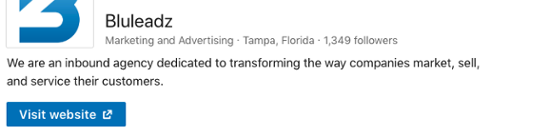
A company tagline – or headline – is one of the first things a prospect or candidate will read when checking out your company’s LinkedIn page. It’s kind of like your business’ elevator pitch: It explains who you are, what you do, and why you do it, wrapped up into one sentence.
Don’t use tons of industry jargon in this section; keep it simple, and try to be creative when choosing keywords. If you’re a Boston based business law firm specializing in commercial litigation, just say that! It will help you get found. It’s to the point, and using a location can make it more relevant to searchers.
Don’t worry if you feel like you’ve left something out… you can include all that and more in your company description.
2. Logo and Header (Banner Image)
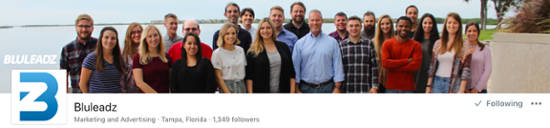
People are drawn to images they recognize like logos, so don’t skip out on adding some sort of logo to your Company Page. Pages that include a logo receive six times more traffic than Pages without!
If you’re using LinkedIn as a branding tool, make sure to include a high-quality banner image that is similar to your other content and highlights who your company is. The more captivating, the more attention you might grab.
At Bluleadz, we love highlighting our awesome employees, so we chose this recent group shot outside of our office. (Yes, we do have a view overlooking the water – and yes, it is amazing!)
3. Careers Page
Currently, Career Pages are a premium feature, but if you use your LinkedIn company page for recruiting, it’s a must have.
Career pages help you get additional exposure to a professional audience and are a great tool for recruiting talent on LinkedIn. It can give candidates and prospects a peek into your company culture with photos and videos and even employee-created content.
Remember, any pages on LinkedIn are an extension of your brand and can help your search rankings, so use best practices here too!
4. Showcase Pages
Showcase pages can be used to promote specific products or services your company offers.
They allow you to create customized pages for specific targeted markets. Because the content is more relevant, showcase pages often result in more focused and higher engagement.
5. Company Specialties
Company specialities serve as keywords for your Company Page that will help people find your business easier. You can add up to 20 specialties… so use them! The more you add (that are still relevant to your products and services), the more keywords you have to potentially help others find you.
On our Bluleadz LinkedIn Company Page, some of the specialties we included are:
-
Lead Generation
-
Content Marketing
-
Digital Marketing
-
Marketing Automation
-
Sales Enablement
6. Company Updates
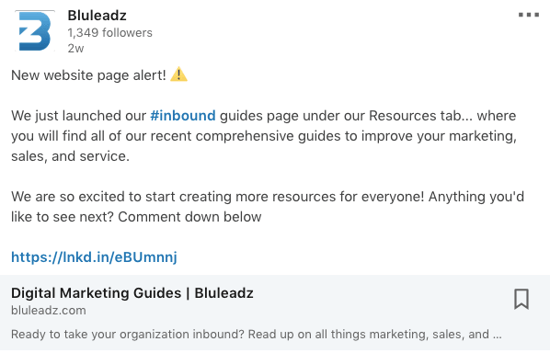
Inbound marketing is about information and discussion, not sales. (That’s a different story! There are still ways to utilize LinkedIn for sales.)
While you should post company news and original content, this isn’t the place for direct sales. Use updates to discuss industry news, share your latest content, and create engagement. Post useful tips and links to helpful industry resources.
7. Company Culture
LinkedIn is a great place to showcase your company culture. The best way to do this is through the "Life" tab on the lefthand side of your company page. This provides visitors with an inside look into your company and what it would be like to either work for or work with your company.
Some organizations choose to add cool photos of their entire staff, their values, mission, and the benefits of working at the company. You may also highlight some of your key players and their accomplishments to shine the spotlight on your awesome workforce achievements.
8. Location
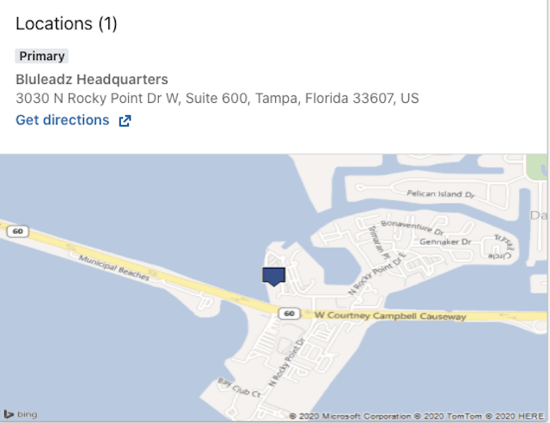
No company page is complete without the location of corporate headquarters. If you have more than one location, you may add all the locations you have, especially if they are international.
International locations means your organization will appeal to those that speak other languages if they want to get in touch with your company to find a job in their area or to partner with you.
Our Company Page includes our address and links to map applications to provide directions.
9. Page Analytics
LinkedIn has helpful analytics that show you which of your posts performs the best. It gives you valuable insight into how your brand is engaging with its followers.
These analytics will allow you to update and change your LinkedIn content strategy so you can add value for your audience more efficiently.
10. Featured Groups
You can spotlight the groups you are in on your company page to encourage your profile visitors to join the featured group. Many organizations create and participate regularly in groups to facilitate conversations on new and exciting things happening in their industry.
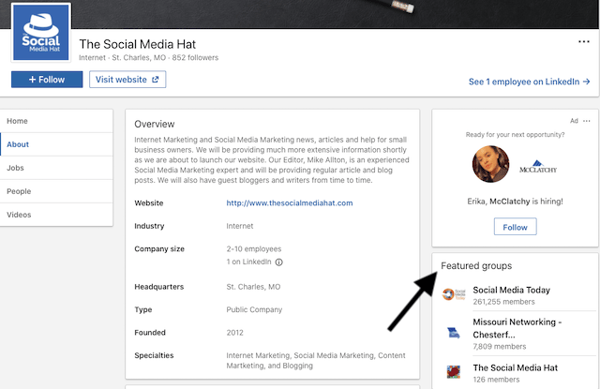
Adding featured groups to your page alerts visitors to helpful information if they want to know more about your industry, and it allows you the opportunity to cross-promote some of the content you create to help you gain more followers.
5 Tips for Optimizing Your Company Page for Lead Generation
LinkedIn provides businesses with a solid approach to SEO and, as a result, LinkedIn Company Pages rank high on Google searches.
This means your company page has a good chance of appearing in search results if you follow these best practices. Here are some tips for leveraging LinkedIn’s SEO strategy.
1. Make Sure Your LinkedIn Company Page Is Complete.
This is by far the most important must have for your Company Page. Make sure your page contains basic information, like the industry you’re in, a link to your company website, and the physical address and contact information for your business.
Don’t stop there!
List the size of your business, when it was founded, any specialties, a header image, a logo, and, most importantly, a detailed description of what you do. Company Pages with completed profiles receive twice as many visitors than those with incomplete profiles.
2. Use Industry Specific Keywords in Your Company Description and Specialties Section.
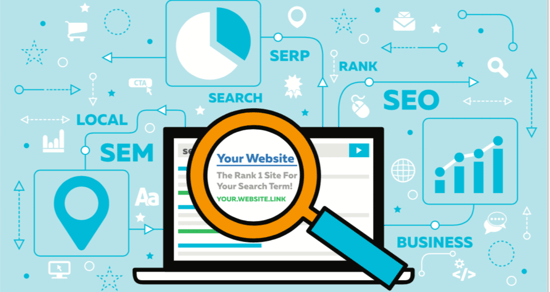
Just like on your website and blog, using industry specific keywords on your LinkedIn Company Page can improve your search results. Including keywords on your company page will register with anyone searching for a company like yours on Google.
If you’re unsure which keywords to include, consider your LinkedIn Company Page as a secondary website to coexist alongside your company website’s SEO. The same keywords you used on your company website to get found are the ones you should include on LinkedIn.
Check out tools like Moz when searching for keywords to use for your business.
3. Always Keep Your Page Updated.
Posting regularly is important for leveraging LinkedIn’s SEO. It’s also the best way to attract followers organically, engage directly with your readers, drive word of mouth traffic, and establish your business as an authority or thought leader in your industry.
LinkedIn suggests posting at least once a day, whether it’s a brief company update, a new blog article, or a thought leadership piece by one of your employees.
Also, don’t think that once your profile is complete the first time that it’s complete forever. Check your profile at least once a month to optimize any important descriptions, images, or keywords that may have changed the way you do business.
If your company just went through a full redesign or updated its messaging to match a new initiative, make sure it shows on your Company Page, too.
4. Personalize Your LinkedIn URL.
When you create a LinkedIn Company Page, you are given a standard URL that doesn't help to differentiate your page from other pages like yours. But did you know that your LinkedIn URL is customizable?
Customizing your URL is a good way to boost your presence on the business social media app. A new and easy-to-read URL will help people find your page with ease, and you won't lose traffic due to this change. Creating a new URL won't deactivate the old one.
5. Join Relevant Communities.
You can join topic-based communities as an organization on LinkedIn. In fact, you can choose up to three communities.
For example, if your business relates to finance, you may follow #wealthmanagement to view and comment on any updates that have to do with the community hashtag.
This increases your engagement and helps to drive leads for your business because people who are interested in what you do will likely be members of these communities as well.
And the more you comment and engage, the more likely they are to click on your page to see what your business is all about. From there, they may even click on your website and inquire about your services.
Don't hesitate to join the conversation, and switch up your community hashtags every once in a while to participate in other relevant conversations.
Your LinkedIn Company Page can be an incredibly valuable resource for driving traffic to your website, increasing leads and sales, recruiting new talent, and establishing your brand identity while building trust for you business.
Make sure to include these must haves, keep your page updated, and utilize best practices to leverage the true power of LinkedIn marketing.
.png)

Comments