
Legacy marketing platform replaced, Salesforce synced
The challenge they faced
A technical skills training provider was running marketing automation on a legacy platform set to expire mid-year. The existing system lacked the segmentation depth, personalization capabilities, and integration with their sales infrastructure that the team needed to scale. Day-to-day, disconnected tools meant manual handoffs between marketing and sales, fragmented campaign data, and no reliable way to track lead quality or readiness.
The platform's imminent expiration forced a reckoning: migrate to a modern foundation or fall further behind. Bluleadz was brought in to architect a clean exit from the old system and build HubSpot as a scalable, integrated marketing engine.
The strategy we mapped
The team needed to move from disconnected marketing tools into HubSpot while simultaneously establishing a live sync with Salesforce. We structured the work in two phases: first, we built out the HubSpot environment itself–tracking infrastructure, brand assets, integrations, and custom objects–so the platform could function independently and reliably. Only once that foundation was solid did we layer in the Salesforce connection, configuring field mappings and sync logic so both systems could speak to each other without creating data conflicts.
The sequencing mattered because HubSpot had to be clean and organized before we tried to pull Salesforce data into it. We also knew the team needed to see early wins, so we prioritized the first campaign activation as a proof point–showing how the whole system worked end-to-end before diving into the deeper architecture work. Lead scoring, lifecycle stages, and the contact database import all followed, building on the patterns and data quality we'd established earlier.
Throughout, we anticipated that the team would need hands-on help once we stepped back, so we embedded training at three levels: a deep technical session on the specific workflows we'd built, four weeks of office hours to troubleshoot real-world execution, and documented best practices they could reference independently.
The solutions we executed
We began by establishing HubSpot's technical foundation. This included installing and testing the tracking code on the primary domain, configuring the global brand kit, connecting social and ad accounts, integrating up to three native HubSpot apps, and setting up team calendars and email integrations. We then secured the email sending infrastructure by configuring DKIM for the client's domain and providing the DNS records needed for reliable inbox delivery. Beyond that, we built custom subscription types with corresponding segments to manage opt-outs, and created a reusable branded email template for newsletters, product updates, and alerts.
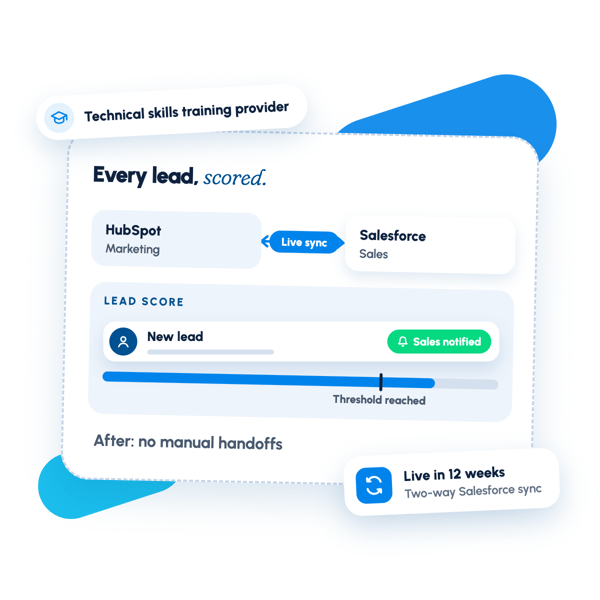
On the automation and data side, we designed the core lead-conversion engine. This meant mapping out custom data properties, rebuilding up to five existing web forms as native HubSpot assets, and customizing record sidebars for Contacts, Companies, and Deals. We defined the billable and non-billable contact statuses, then architected a full Lifecycle Stage funnel with automated workflows and active list segments for each stage. We also created a custom object–up to 30 properties with associations to other objects–to track business-specific processes, and built a lead scoring system with qualifying criteria, point values, and automated sales notifications when leads reached threshold.
For the Salesforce integration, we set up the native connection, configured default field mappings, and added custom field mapping for up to 15 additional properties on one object to bridge gaps between the two systems. We also performed a professional contact-only data import, ensuring the database arrived clean and formatted for immediate automation. The team's first campaign ran through HubSpot as a full proof-of-concept–we created a parent Campaign to aggregate assets, built and scheduled up to three emails with personalization, constructed the automated nurture workflow, established an Active List for the target audience, and provided a live demo on social scheduling. Finally, we constructed a centralized dashboard with up to 15 custom reports aligned to leadership's primary metrics, conducted a 60-minute tailored training session on the workflows and standards we'd built, and offered four weekly office-hours sessions so the team could troubleshoot real-world execution and refine processes in real time.
What changed after the engagement.
The client's HubSpot environment is now operational and fully integrated with Salesforce, enabling end-to-end lead management without spreadsheets or manual handoffs. Marketing contacts flow reliably from forms into Salesforce with correct field mappings and assignment rules; lifecycle stages automatically advance contacts through the pipeline based on engagement and behavior. The team can now execute multi-channel campaigns with unified tracking, lead scoring, and reporting in place, allowing sales and marketing to see a single view of each prospect's journey from first touch through qualification.
Want results like these?
Tell us where your revenue engine is stuck — we'll map the fix in one call.