
Branded customer portal on HubSpot
The challenge they faced
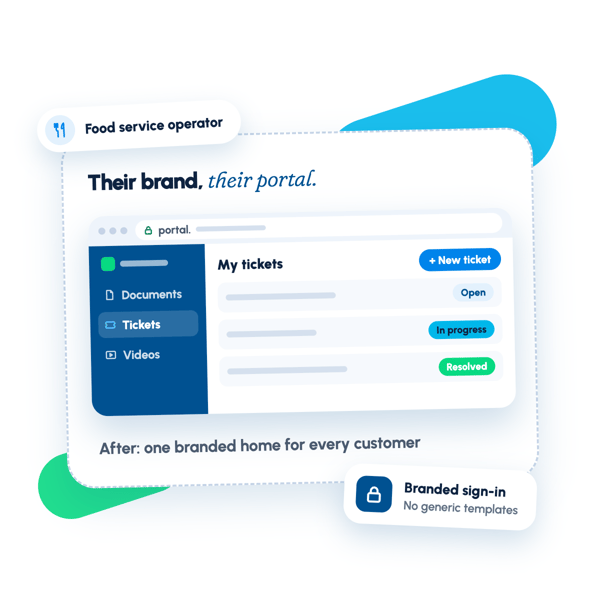
As a food service operator, the team managed customer relationships through HubSpot but lacked a branded customer portal that reflected their identity. They were constrained by HubSpot's default interface and standard authentication pages, which felt disconnected from their brand and didn't support the specific workflows their customers needed. The team needed a way to let customers access documents, submit support tickets, and view their ticket history without defaulting to generic platform templates.
The strategy we mapped
The team needed a customer portal that felt native to their brand rather than relying on HubSpot's default interface. We structured the work to begin with foundational design and build–establishing the portal's architecture, navigation, and visual language first. This had to be in place before anything else could take shape, since all subsequent pages and features would inherit from it.
Once the foundation was solid, we moved into the custom templates that would power the portal's specific functions: the documents and content pages, the private content authentication experience, and the ticket submission workflow. Because each template needed to match both the brand and the portal's structural constraints, this sequencing let us build with a clear visual system already in place.
Throughout discovery and development, we tracked where HubSpot's platform had limitations on custom system templates and other functionality. Rather than work around these constraints silently, we identified them as they surfaced and proposed solutions that kept the user experience coherent.
The solutions we executed
We built the foundational design and architecture for the customer portal, establishing the navigational components, layout structure, and visual identity that would carry through every page customers would see. This included creating a custom theme with options built in, so the team could personalize the experience as needed.
We designed and developed custom templates for the portal's core functions: document and content pages configured to the team's specific needs, private content system templates that matched the rest of the portal rather than defaulting to HubSpot's standard authentication pages, and a ticket submission form alongside the page that displays submitted tickets. Each template was scoped dynamically based on discovery findings and built to work within HubSpot's constraints while maintaining design consistency.
What changed after the engagement.
The client now has a fully functional HubSpot customer portal accessible via a dedicated subdomain, with a cohesive design system and branded interface that replaced fragmented customer interactions. The portal consolidates ticket submission, ticket tracking, document access, and video library links into one seamless experience, eliminating the need for customers to navigate between separate tools or email support directly. Custom templates for documents, private content authentication, and ticket workflows ensure the portal feels native to the client's brand rather than relying on HubSpot defaults, and the foundational design layer enables the team to maintain consistency across all future portal expansions without rework.
Want results like these?
Tell us where your revenue engine is stuck — we'll map the fix in one call.